
To setup or add you IPTV playlist to your Formuler or any othe Mag device, there is two opion, add mac portal or xtream codes, here is how to do both:
- Add playlist via mac portal
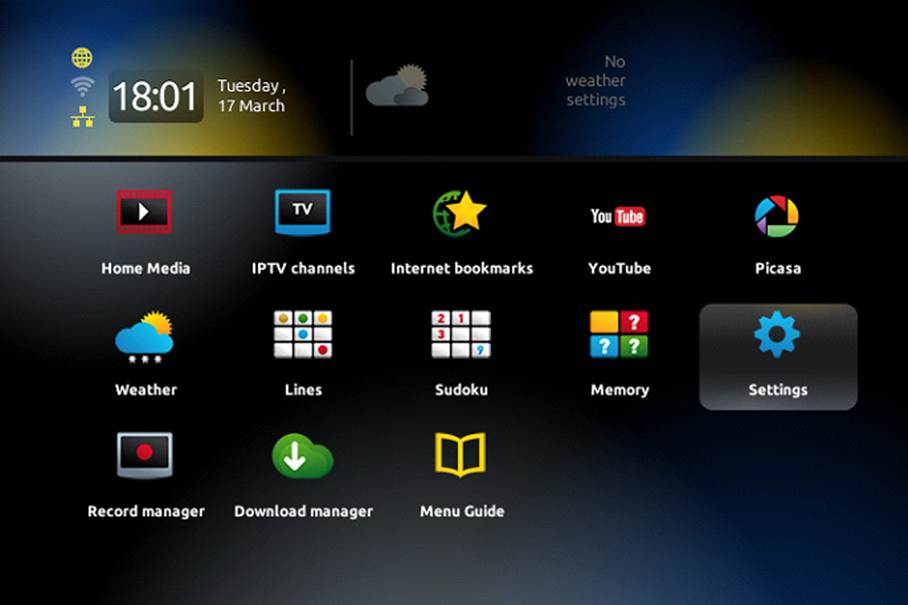
Step 1: When the box is being loaded the main portal screen appears. After that click on “settings”, press remote button “SETUP/SET”.
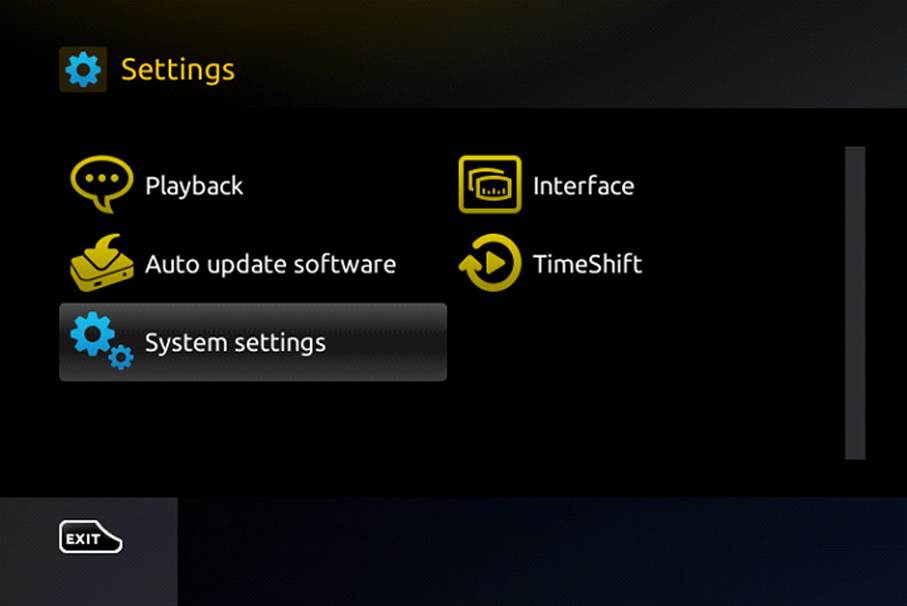
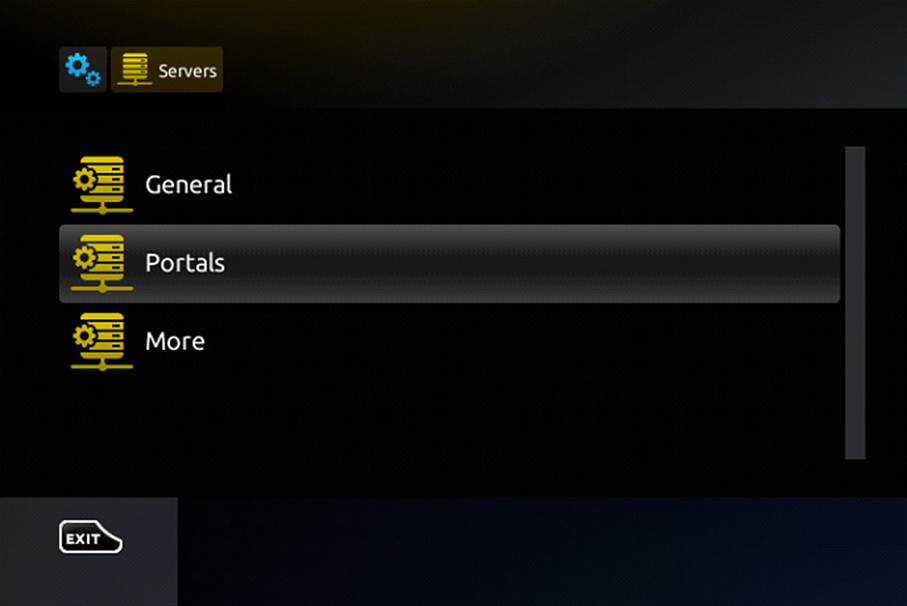
Step 2: Then press on “System settings” and click on “Servers” then “Portals”
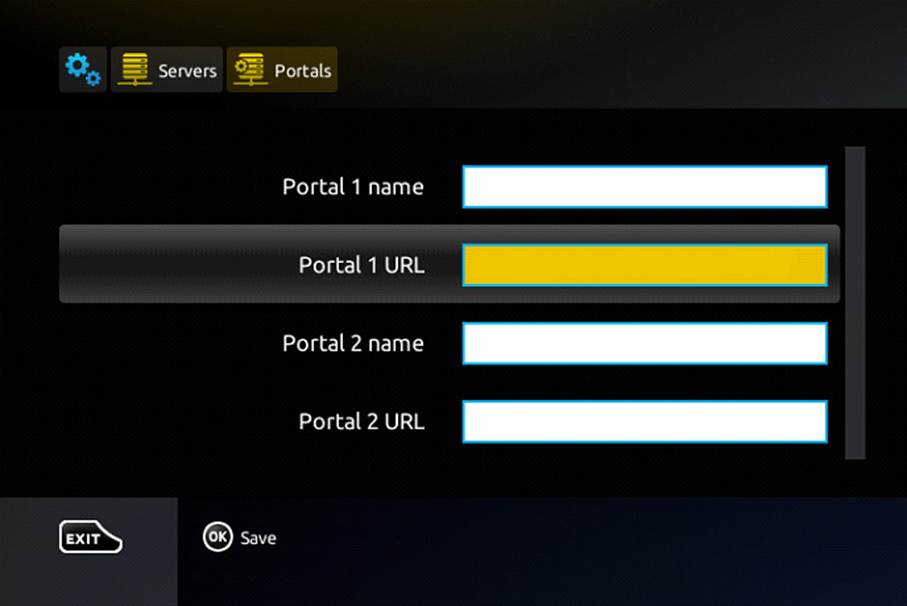
Step 4: In the “Portal 1 name” line enter the any name you want.
In the “Portal 1 URL” enter the portal address provided by your IPTV Porvider. First, you must provide your device Mac address which can be found on the back side of your box to your IPTV provider.
Step 5: When all the operations listed above is done, then press “OK”.
When all the steps listed above are done press”EXIT” 2 times on the remote control and restart the portal.
Now everything is ready to start watching Live TV…
B. Add playlist via Xtream Codes
Step 1: Go to your home screen and open the MyTvonline app.
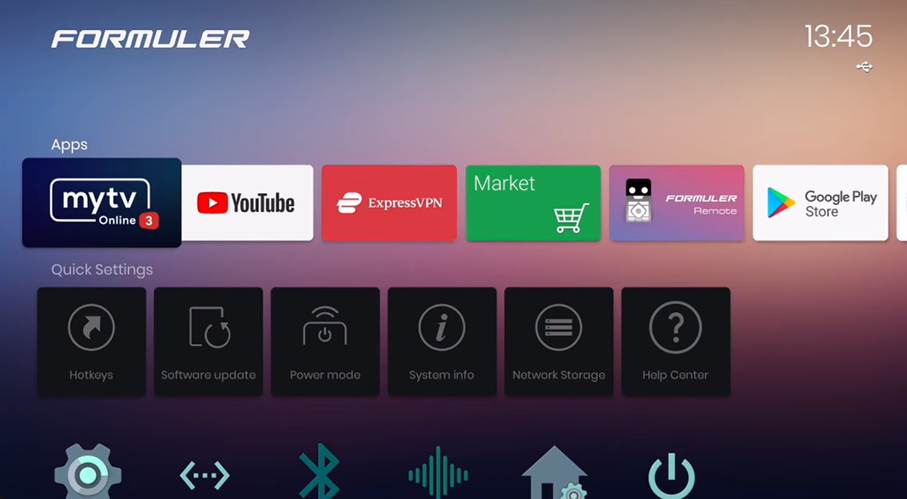
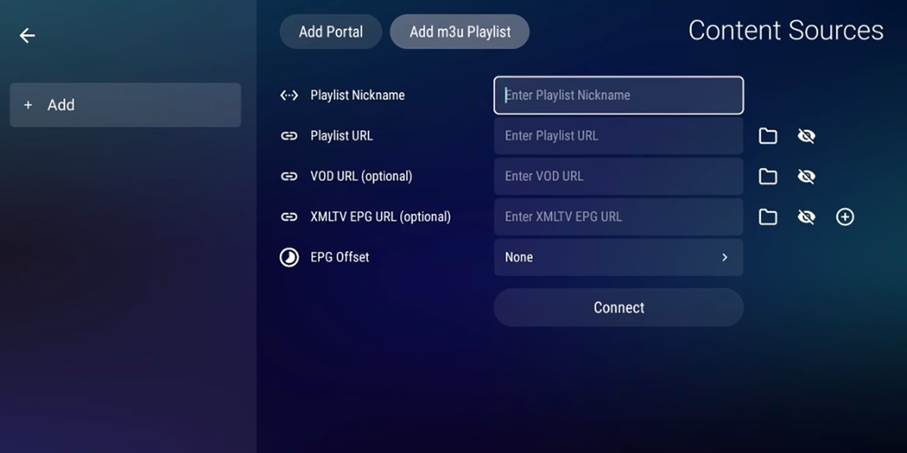
Step 2: Cick on Add M3u Playlist.

Step 3: Enter the the M3u Link you got from your IPTV Provider in the Playlist URL case, you can put any nickname and left the other boxes empty. Then click connect.
Step 4: After you get connected to the playlist server, you will just click next, until you see this screen:
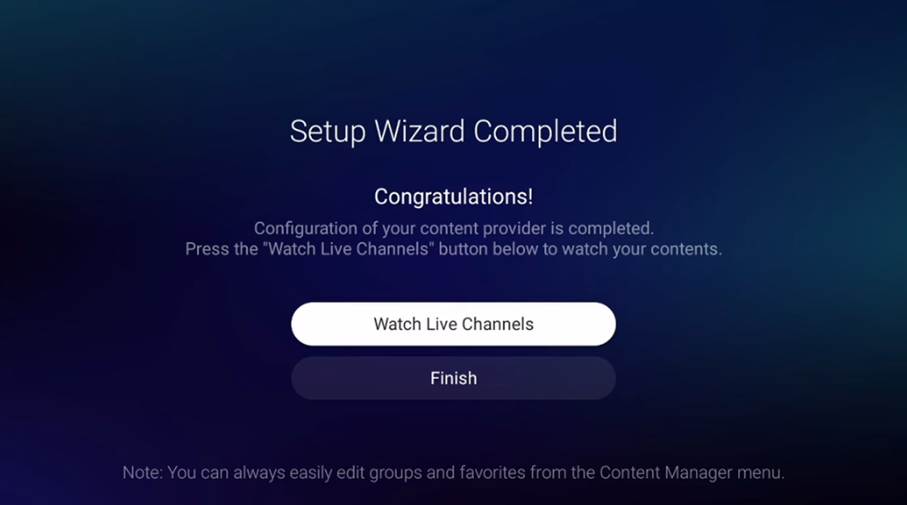
Now you can see the Live Tv and Vod and enjoy watching.